Python實現資料庫並行讀取和寫入執行個體,python執行個體
這篇主要記錄一下如何?對資料庫的並行運算來節省代碼已耗用時間。語言是Python,其他語言思路一樣。
前言
一共23w條資料,是之前通過自然語言分析處理過的資料,附一張:
要實現對news主體的讀取,並且找到其中含有的股票名稱,只要發現,就將這支股票和對應的日期、score寫入資料庫。
顯然,幾十萬條資料要是一條條讀寫,然後在本機上操作,耗時太久,可行性極低。所以,如何有效並行的讀取內容,並且進行操作,最後再寫入資料庫呢?
並行讀取和寫入
並行讀取:建立N*max_process個進程,對資料庫進行讀取。讀取的時候應該注意:
- 每個進程需要分配不同的connection和對應的cursor,否則資料庫會報錯。
- 資料庫必須能承受相應的高並發訪問(可以手動更改)
實現的時候,如果不在進程裡面建立新的connection,就會發生衝突,每個進程拿到許可權後,會被下個進程釋放,所以彙報出來NoneType Error的錯誤。
- 並行寫入:在對資料庫變更的時候,不可以多進程更改。所以,我們需要根據已有的表,建立max_process-1個同樣結構的表用來寫入。表的命名規則可以直接在原來基礎上加上1,2,3...數字可以通過對max_process取餘得到。
此時,對應進程裡面先後出現讀入的conn(儲存訊息後關閉)和寫入的conn。每個進程對應的表的index就是 主迴圈中的num對max_process取餘(100->4,101->5),這樣每個進程只對一個表進行操作了。
部分代碼實現
max_process = 16 #最大進程數def read_SQL_write(r_host,r_port,r_user,r_passwd,r_db,r_charset,w_host,w_port,w_user,w_passwd,w_db,w_charset,cmd,index=None): #得到tem字典儲存著資訊 try: conn = pymysql.Connect(host=r_host, port=r_port, user=r_user, passwd =r_passwd, db =r_db, charset =r_charset) cursor = conn.cursor() cursor.execute(cmd) except Exception as e: error = "[-][-]%d fail to connect SQL for reading" % index log_error('error.log',error) return else: tem = cursor.fetchone() print('[+][+]%d succeed to connect SQL for reading' % index) finally: cursor.close() conn.close() try: conn = pymysql.Connect(host=w_host, port=w_port, user=w_user, passwd =w_passwd, db =w_db, charset =w_charset) cursor = conn.cursor() cursor.execute(cmd) except Exception as e: error = "[-][-]%d fail to connect SQL for writing" % index log_error('error.log',error) return else: print('[+][+]%d succeed to connect SQL for writing' % index) r_dict = dict() r_dict['id'] = tem[0] r_dict['content_id'] = tem[1] r_dict['pub_date'] = tem[2] r_dict['title'] = cht_to_chs(tem[3]) r_dict['title_score'] =tem[4]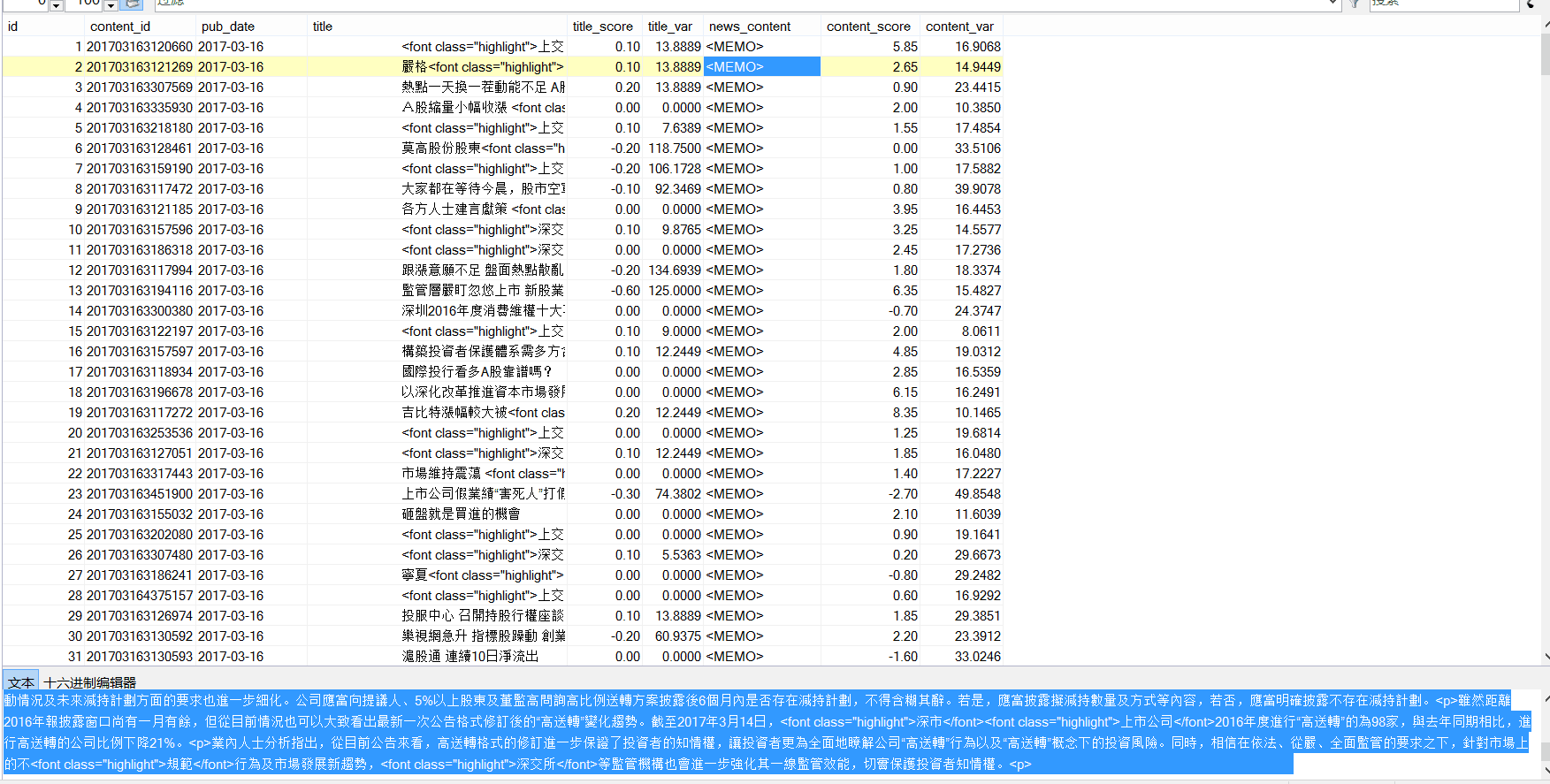 r_dict['news_content'] = cht_to_chs(tem[5]) r_dict['content_score'] = tem[6] for key in stock_dict.keys(): #能找到對應的股票 if stock_dict[key][1] and ( r_dict['title'].find(stock_dict[key][1])!=-1 or r_dict['news_content'].find(stock_dict[key][1])!=-1 ): w_dict=dict() w_dict['code'] = key w_dict['english_name'] = stock_dict[key][0] w_dict['cn_name'] = stock_dict[key][1] #得到分數 if r_dict['title_score']: w_dict['score']=r_dict['title_score'] else: w_dict['score']=r_dict['content_score'] #開始寫入 try: global max_process cmd = "INSERT INTO dyx_stock_score%d VALUES ('%s', '%s' , %d , '%s' , '%s' , %.2f );" % \ (index%max_process ,r_dict['content_id'] ,r_dict['pub_date'] ,w_dict['code'] ,w_dict['english_name'] ,w_dict['cn_name'] ,w_dict['score']) cursor.execute(cmd) conn.commit() except Exception as e: error = " [-]%d fail to write to SQL" % index cursor.rollback() log_error('error.log',error) else: print(" [+]%d succeed to write to SQL" % index) cursor.close() conn.close()def main(): num = 238143#資料庫查詢拿到的總數 p = None for index in range(1,num+1): if index%max_process==1: if p: p.close() p.join() p = multiprocessing.Pool(max_process) r_cmd = ('select id,content_id,pub_date,title,title_score,news_content,content_score from dyx_emotion_analysis where id = %d;' % (index)) p.apply_async(func = read_SQL_write,args=(r_host,r_port,r_user,r_passwd,r_db,r_charset,w_host,w_port,w_user,w_passwd,w_db,w_charset,r_cmd,index,)) if p: p.close() p.join()
以上就是本文的全部內容,希望對大家的學習有所協助,也希望大家多多支援幫客之家。



